You landed in Berlin for a work trip, opened Netflix, and half your watchlist vanished. The show you had been watching for three weeks simply does not exist on the German library. Hulu returned a flat “not available in your region” message. BBC iPlayer asked for a UK TV licence. This is what proxies for streaming solve. Not in theory. In practice, every single time you cross a border or try to access a library your subscription already covers.
Netflix alone operates different content catalogues across 190+ countries, with the US library carrying roughly 5,900 titles compared to fewer than 2,100 in some Asian markets. Disney+ reached over 131 million paying subscribers worldwide by end of 2025, each locked to their regional library. Streaming platforms invest heavily in geo-detection systems that identify and block datacenter IPs, shared VPN servers, and known proxy ranges.
I have tested proxy setups against every major streaming platform over the past several years, across residential, ISP, mobile, and datacenter connections. The results vary dramatically by provider and proxy type. These 7 services handle the specific demands of geo-unblocking streaming content in 2026.
🌐 The Geo-Restriction Problem Streaming Fans Face in 2026
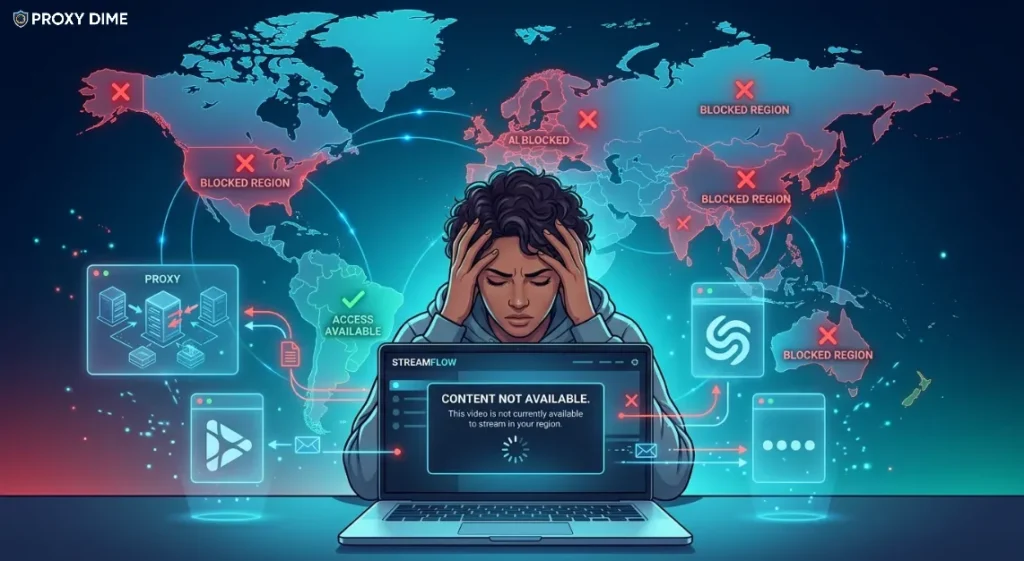
Proxies for streaming route your video traffic through IP addresses located in the country whose content library you want to access. When Netflix receives your connection request, it checks your IP against its geo-database. If the IP maps to the United States, you see the US catalogue. If it maps to Japan, you see the Japanese library. A streaming proxy replaces your real IP with one from your target country, and the platform serves the corresponding regional library.
Why does proxy type matter so much for streaming? Because Netflix, Hulu, Disney+, BBC iPlayer, and Amazon Prime Video all maintain sophisticated detection systems. These platforms block known datacenter IP ranges almost entirely. Shared VPN server IPs get flagged and added to blocklists within days. The detection order from easiest to hardest to block goes like this.
| Proxy Type | Streaming Detection Risk | Speed for HD Video |
|---|---|---|
| Datacenter | Very high (almost always blocked) | Fastest |
| Shared residential | Medium (flagged if overused) | Good |
| Dedicated residential | Low | Good |
| ISP (static residential) | Very low | Fast |
| Mobile 4G/5G | Lowest | Variable |
ISP proxies and residential proxies perform best for streaming because they carry genuine consumer IP addresses assigned by real internet service providers. Mobile proxies offer the highest trust level but bandwidth costs and variable speeds make them impractical for sustained HD or 4K viewing. ISP proxies combine datacenter speeds with residential trust scores. That makes them the ideal balance for streaming.
Quick Tip: For streaming proxies, ISP (static residential) IPs typically outperform rotating residential IPs because streaming platforms flag connections that change IP mid-session. Prioritise providers offering sticky sessions of 30 minutes or longer and country-specific ISP exit nodes for reliable playback without buffering or disconnection.
🔥 Streaming Platform Detection Difficulty by Provider
| Provider | Residential Pool Depth | Mobile Proxy Available |
|---|---|---|
| Bright Data | 150M+ across 195 countries | Yes, 7M+ 4G/5G |
| Oxylabs | 177M+ across 195 countries | Yes, 20M+ mobile |
| Decodo | 125M+ across 195+ locations | Yes |
| Webshare | 80M+ across 50+ countries | No |
| Thordata | 100M+ across 190+ countries | Yes |
| Proxy-Seller | 20M+ across 220+ countries | Yes |
| ZenRows | 55M+ across multiple regions | No |
1. Bright Data
Bright Data runs the largest verified proxy network for geo-targeted content access. The 150 million residential IPs span 195 countries, which means virtually every Netflix, Disney+, or Amazon Prime Video regional library is reachable through a local exit node. What makes this network particularly effective for streaming is the depth within each country.
The US pool alone includes millions of IPs with city and state level targeting. Want to appear as a Comcast subscriber in Chicago or an AT&T user in Miami? Bright Data supports that level of precision through ASN filtering.
The Web Unlocker product automates IP rotation, browser fingerprint emulation, and CAPTCHA bypass for heavily protected streaming platforms. For expats, travellers, and QA teams testing geo-restricted content availability across multiple regions simultaneously, this network depth is unmatched.
Streaming Capabilities
Pricing
Residential from $5.04/GB. ISP proxies available on enterprise plans. Mobile from $8.40/GB. Free trial without credit card.
Pros
Cons
Why Bright Data for Streaming: The combination of 195 country residential exits with ASN-level carrier selection gives you the most precise geo-targeting available. When a streaming platform checks whether your IP belongs to a real local ISP subscriber, Bright Data passes that check because the IPs genuinely originate from those carriers. For multi-region content testing or accessing obscure regional libraries, nothing else covers this many locations.
2. Oxylabs
Oxylabs brings coordinate-level geo-precision to streaming access. Most proxy providers offer country or city targeting. Oxylabs goes further. You can specify exact geographic coordinates for your exit node, which matters for streaming platforms that use fine-grained location checks beyond simple country-level IP mapping.
The 177 million residential proxy pool ensures IP diversity within each target region, reducing the risk of hitting an address that a streaming platform has already flagged. Mobile proxies across 140+ countries add another layer for platforms like Hulu and Peacock that aggressively block residential ranges.
The ML-driven proxy selection system automatically identifies which IP type and rotation pattern achieves the best success rate on each specific platform. For QA teams validating content availability across dozens of markets or ad verification professionals checking geo-targeted streaming ads, this precision targeting is the core technical requirement.
Streaming Capabilities
Pricing
Residential from $8/GB Pay As You Go. Mobile proxies from $12/GB. Use code OXYLABS40 for 40% off.
Pros
Cons
Why Oxylabs for Streaming: Coordinate-level geo-targeting and ML-driven IP selection solve the two biggest streaming proxy challenges at once. You get precise location control to match even granular geo-checks, and the system automatically learns which IPs work best on each platform. For professional content testing across multiple markets, this combination delivers consistent access.
Oxylabs 40% OFF Coupon Code – Unlock Precision Streaming Access
Get 40% OFF Oxylabs proxies with code OXYLABS40. Enjoy precise geo-targeting and easy access to geo-restricted streaming.

3. Decodo
Decodo (formerly Smartproxy) takes a different approach to streaming access through its Site Unblocker product. Rather than giving you a raw residential IP and hoping the streaming platform does not flag it, Site Unblocker wraps your connection in advanced browser fingerprinting, automatic proxy pool rotation, and JavaScript rendering.
It determines the best proxy type for your target site, rotates through the 125 million IP pool, and manages the entire handshake process so the streaming platform sees what looks like a completely organic browser session from a local user.
The Decodo Chrome extension makes this accessible to non-technical users. Install it, select your target country, and browse. For researchers, content auditors, and international viewers who need reliable access to geo-restricted streaming catalogues without configuring proxy settings manually, this plug-and-play simplicity stands apart.
Streaming Capabilities
Pricing
Site Unblocker from $4/GB (pay per traffic) or pay per request plans. Residential bandwidth from $4/GB. 14-day money-back guarantee.
Pros
Cons
Why Decodo for Streaming: The Site Unblocker product handles the technical complexity that defeats most manual proxy setups on streaming platforms. Browser fingerprinting, automatic IP selection, and JavaScript rendering all happen behind the scenes. For users who want to access a geo-restricted streaming site through their browser without touching proxy settings or command lines, Decodo makes that straightforward.
4. Webshare
Webshare published a dedicated streaming unblocking guide and ships a Chrome extension that makes proxy setup genuinely simple for non-technical users. The free tier gives you 10 proxies and 1GB of bandwidth. Enough to test whether a proxy connection unblocks your target streaming platform before spending anything.
Their step-by-step browser extension walkthrough shows exactly how to install, select a proxy location, and connect. Pick a proxy in the country closest to the streaming library you want, click Connect, and the extension routes your browser traffic through that exit node. The 80 million rotating residential IP pool covers 50+ countries.
For casual international viewers who need occasional access to a different Netflix library or want to watch BBC iPlayer while travelling, this simplicity and the free starting tier lower the barrier significantly. ISP proxies at $6/month for 20 static IPs suit users who want a persistent connection to one specific regional library.
Streaming Capabilities
Pricing
Free with 10 proxies and 1GB. ISP from $6/month for 20 IPs. Residential from $3.50/GB. Datacenter from $2.99/month.
Pros
Cons
Why Webshare for Streaming: The free Chrome extension paired with the no-cost starter tier removes every barrier to trying proxy-based streaming access. No credit card. No technical configuration. Install the extension, pick a country, press Connect. If the platform unblocks, upgrade to ISP proxies for persistent access at $6/month. For casual viewers, that economics makes sense.
5. Thordata
Thordata solves the bandwidth problem that makes proxy-based streaming expensive with most providers. Streaming a two-hour HD film consumes roughly 3GB of data. At $5 to $8 per GB on most residential proxy networks, that single film costs $15 to $24 in proxy bandwidth alone. Thordata offers an unlimited residential plan at $69 per day.
Stream for as many hours as you want. Watch an entire series over a weekend. Bandwidth is not metered. The 100 million residential IP pool across 190+ countries provides genuine consumer exit nodes in most streaming-relevant markets.
Session control settings from 1 to 90 minute intervals let you maintain a stable IP for the duration of a film or episode run without the mid-session disconnections that trigger streaming platform re-authentication. For heavy streamers who watch multiple hours daily through proxies, the unlimited plan fundamentally changes the cost structure.
Streaming Capabilities
Pricing
Residential from $0.65/GB. Unlimited residential at $69/day. Mobile from $2.20/GB. Free trial for new accounts.
Pros
Cons
6. Proxy-Seller
Proxy-Seller addresses the “library hopping” use case that streaming enthusiasts care about. Japanese anime fans want access to Netflix Japan. Football fans need BT Sport or DAZN from specific European countries. K-drama viewers target Korean streaming platforms.
Each of these requires an exit node that not only maps to the right country but originates from a local carrier that the streaming platform recognises as a genuine domestic subscriber. Proxy-Seller offers ISP proxies across 220+ countries with carrier-level selection. Pick a specific NTT exit in Japan, a Virgin Media IP in the UK, or a Jio address in India.
This ISP fingerprint matching is what separates a proxy that works on a specific streaming platform from one that gets blocked after the first request. Instant proxy activation means you can be watching content from a new region within minutes of purchase. For dedicated library hoppers who rotate through multiple regional catalogues, this geographic and carrier breadth is the key specification.
Streaming Capabilities
Pricing
ISP proxies from $3/month per IP. Residential from $4/GB. Dedicated datacenter from $18/month. No free trial.
Pros
Cons
7. ZenRows
ZenRows fills a specific professional niche in the streaming proxy space. It is not built for watching Netflix on your couch. It is built for QA engineers, content auditors, and streaming platform developers who need to verify geo-restricted content availability programmatically.
The Universal Scraper API renders JavaScript, rotates fingerprints, and routes requests through 55 million residential IPs. Send a request targeting a streaming platform's content listing page from any supported country, and ZenRows returns the fully rendered HTML including dynamically loaded titles, regional catalogue differences, and pricing information.
For teams building content comparison tools, verifying licensing compliance across markets, or testing streaming app behaviour under different geo-conditions, this programmatic access to geo-restricted pages is the core value. Sticky sessions up to 24 hours support sustained testing sessions.
Streaming Capabilities
Pricing
Developer plan at $69/month with 250K credits. Higher tiers from $149/month. Free 14-day trial.
Pros
Cons
✅ Picking a Proxy That Actually Works on Your Streaming Platform
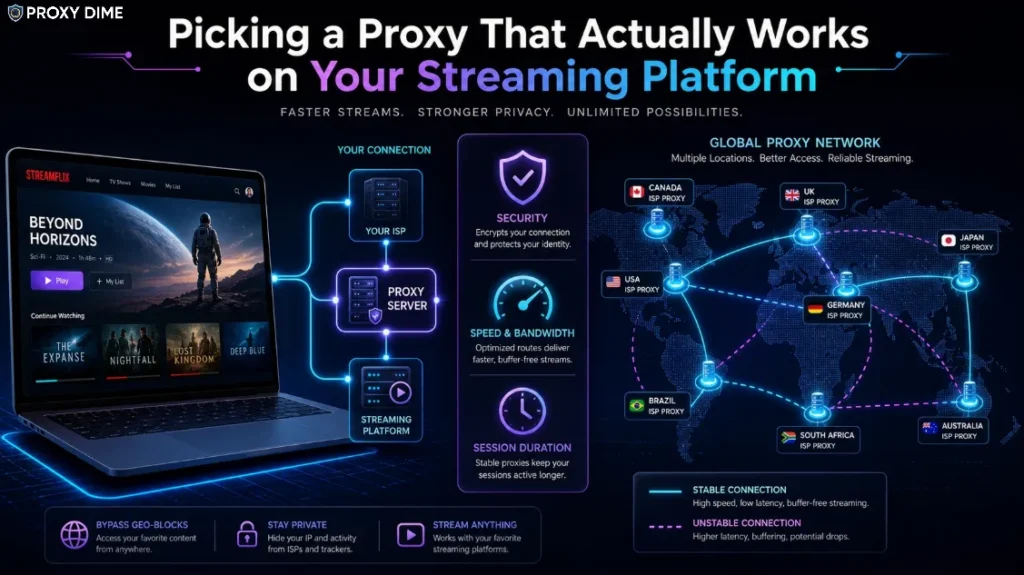
1. ISP Proxies Beat Residential for Consistent Playback
Rotating residential proxies change your IP address at set intervals. That works well for scraping but causes problems during streaming. A mid-episode IP change triggers re-authentication on Netflix and can disconnect your session entirely on Hulu. ISP proxies (also called static residential) give you a fixed IP address that belongs to a real internet service provider. You keep the same address for your entire viewing session. The streaming platform sees a consistent connection from what appears to be a genuine home broadband subscriber. For regular streaming use, choose ISP proxies over rotating residential.
2. Country Coverage Is Not Enough Without Carrier Depth
A provider advertising “195 countries” means nothing if they have 12 IPs in Portugal and none of them carry local carrier fingerprints. Streaming platforms in smaller markets check IP origin against local ISP databases. If your proxy IP maps to a country but does not appear in a local carrier's allocation block, it gets flagged. Ask how many IPs a provider has in your specific target country and whether they carry genuine local ISP assignments. Bright Data and Proxy-Seller offer carrier-level selection that addresses this directly.
3. Bandwidth Cost Determines Whether Streaming Is Practical
An HD Netflix stream uses approximately 3GB per hour. A 4K stream uses up to 7GB per hour. At $5/GB, a single 4K film costs $35 in proxy bandwidth. That maths only works for occasional use or professional content testing. For regular personal streaming through proxies, look for providers with unlimited bandwidth plans (Thordata at $69/day) or very low per-GB rates (Thordata at $0.65/GB, Webshare at $3.50/GB). Calculate your expected monthly viewing hours before committing to a provider.
4. Sticky Session Length Matters More Than Pool Size
A 100 million IP pool is meaningless for streaming if the maximum sticky session lasts 10 minutes. You need your IP to persist for at least the duration of a film (90 to 180 minutes) or an episode binge session (several hours). Oxylabs offers 24-hour sticky sessions. Thordata supports up to 90 minutes. Decodo's Site Unblocker manages session persistence automatically. Confirm the maximum sticky session duration before purchasing, and match it to your typical viewing pattern.
5. Browser Extension vs Manual Configuration
If you stream through a laptop or desktop browser, a Chrome or Firefox extension simplifies everything. Webshare, Decodo, and Thordata all offer browser extensions that let you select a country and connect with one click. If you stream through a smart TV, gaming console, or streaming stick, you will need to configure the proxy at the router level or through a network proxy app. No browser extension covers those devices. Check whether your provider offers router configuration guides if you plan to stream on non-browser devices.

More Guides On Proxy Dime
🎯 Final Thoughts
Streaming through proxies works, but the economics and platform compatibility vary more than most guides admit. Bright Data gives you the widest geographic reach with ASN-level carrier selection for professional content verification across 195 countries.
Webshare offers the simplest starting point with a free Chrome extension and no-cost testing tier. Thordata at $69/day unlimited bandwidth is the only option that makes sustained daily streaming through proxies financially rational. Test on your target platform first. A proxy that works on Netflix US may fail on BBC iPlayer, and the only way to know is to try it on the actual service you need.