Three accounts gone in a single morning. Instagram flagged two for suspicious login activity. TikTok permanently suspended the third after detecting automation from a datacenter IP range. Months of content, followers, and engagement wiped out because the proxy setup looked nothing like a real mobile user.
Platforms in 2026 cross reference your IP against carrier databases, check geolocation consistency, and monitor login fingerprints at a level that catches cheap proxies immediately.
Finding social media proxies that actually protect accounts requires understanding how platforms detect fake traffic. I have run multi-account setups across Instagram, TikTok, Facebook, X, and LinkedIn for agencies and growth teams over the past four years.
The providers that survive platform detection all share common traits. They route through real residential or mobile carrier networks. They support sticky sessions. And they let you assign dedicated IPs to individual profiles.
📊 Social Media Proxy Network Overview 2026
| Provider | Mobile IP Access | Residential Pool |
|---|---|---|
| Decodo | 10M mobile, 700+ ASNs | |
| ZenRows | Via residential API | 55M+ residential |
| Oxylabs | Dedicated 3G/4G/5G | 177M+ residential |
| Webshare | Not available | 80M+ residential |
| Bright Data | 7M mobile, carrier select | 150M+ residential |
| Thordata | 4G/5G at $2.20/GB | 100M+ residential |
| Proxy-Seller | Dedicated Verizon US | 20M+ residential |
| NodeMaven | Not available | 30M+ residential |
💰 The Account Survival Problem (And How the Right Proxy Solves It)
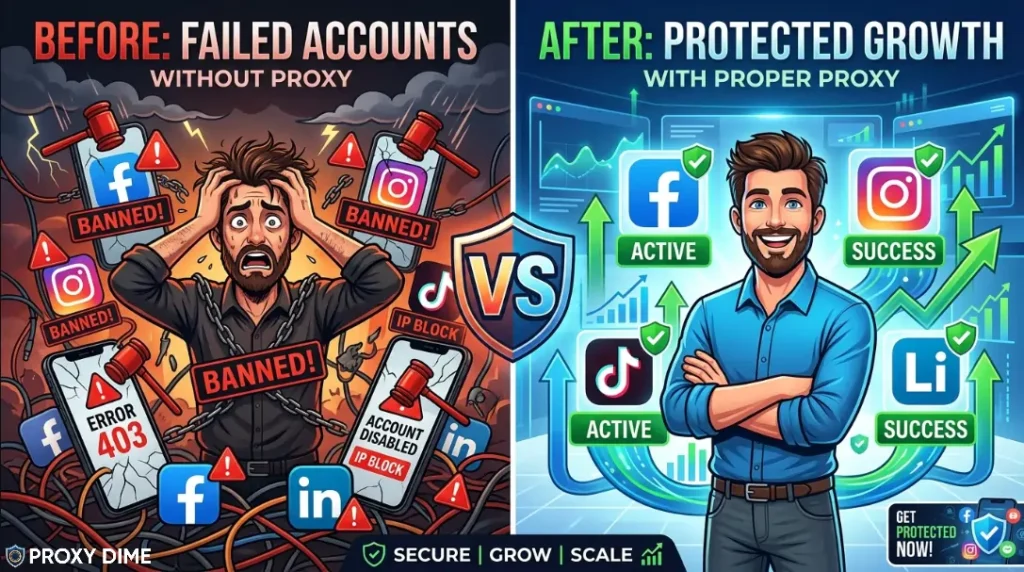
Social media proxies route your traffic through IP addresses that platforms trust. Every major social network maintains internal databases of known datacenter ranges, flagged subnets, and suspicious carrier patterns.
When you log into Instagram or TikTok from an IP that does not match a real user profile, the platform assigns a risk score to your session. Enough red flags and the account gets restricted, shadowbanned, or permanently suspended.
The mechanism is straightforward. Your automation tool or antidetect browser connects through the proxy server. The social platform sees the proxy IP instead of your real address. But the type of IP matters enormously. A datacenter IP from a hosting provider looks nothing like a regular person scrolling their feed on mobile data. Platforms know this.
Mobile proxies (4G and 5G) sit at the top of the trust hierarchy for social media work. These IPs come from actual cellular carriers like Verizon, T-Mobile, and Vodafone. Social platforms expect thousands of users to share a single mobile IP through carrier grade NAT, so they rarely ban these addresses. Residential proxies rank second. ISP proxies offer stability for long running sessions. Datacenter proxies fail fast on every major platform in 2026.
Quick Tip: For social media proxies, mobile 4G/5G connections outperform all other proxy types because platforms expect shared carrier IPs from real users. Prioritise providers offering sticky sessions and per-profile IP assignment for account safety.
1. Decodo
Decodo runs one of the fastest mobile proxy networks available for social media automation. The mobile pool spans 10 million IPs across 130+ locations with over 700 ASNs, which means your Instagram or TikTok sessions look like they originate from genuine carrier subscribers.
Sticky sessions hold the same mobile IP for up to 24 hours. That duration matters when you are warming up a new account and need consistent login fingerprints over several days. Pair this with the X Browser antidetect tool and you get isolated browser profiles with unique fingerprints routed through dedicated mobile exits. Agencies managing 20 or more client profiles across multiple platforms rely on this setup daily.
What Makes It Work for Social Media
Pricing
Mobile proxies start from approximately $6/GB with plans scaling by bandwidth. Residential traffic from $4/GB. 7-day free trial available for businesses. 3-day refund for individual plans.
Pros
Cons
Why Decodo for Social Media Proxies
The 700+ ASN mobile pool is what sets this apart. Social platforms check the carrier behind your IP. Decodo rotates through genuine carriers rather than recycling a handful of mobile gateways. Combined with the built-in antidetect browser, you get profile isolation and IP trust in a single package. That is what keeps accounts alive.
2. ZenRows
ZenRows serves a different slice of the social media proxy market. Growth hackers and marketing teams scraping competitor profiles, hashtag performance data, and engagement metrics from public social media pages need a tool that handles aggressive anti-scraping walls.
The API wraps 55 million+ residential IPs behind an automatic anti-detection layer that manages fingerprints, rotates headers, and renders JavaScript on platforms like Instagram and LinkedIn without manual configuration.
Running 250,000 requests on the Developer plan means you can pull public profile data across thousands of accounts monthly. The platform is built for code, not for manual browsing. If your social media workflow involves feeding scraped data into analytics dashboards, ZenRows handles the hard part of getting that data reliably.
What Makes It Work for Social Media
Developer plan at $69/month includes 250K basic results and 12.73GB residential bandwidth. Free 14-day trial with 1,000 basic results available.
Pros
Cons
Why ZenRows for Social Media Proxies
Pulling public social data at scale requires more than raw residential bandwidth. Instagram and LinkedIn actively block scraping patterns. ZenRows handles the fingerprint rotation and JavaScript rendering automatically so your data pipeline stays fed without constant debugging.
3. Oxylabs
Oxylabs provides the sheer IP variety that large social media account operations demand. Managing dozens or hundreds of profiles across Instagram, Facebook, X, and TikTok requires IPs that never overlap.
With 177 million+ residential addresses and dedicated mobile proxies, the risk of two accounts sharing the same exit node drops to near zero. Unlimited concurrent sessions let you run parallel automation across every managed profile without throttling.
The Web Unblocker handles social platform challenges when you hit verification walls during automation. Enterprise social media agencies running 100+ accounts find genuine operational advantage in this network depth.
What Makes It Work for Social Media
Residential proxies from $8/GB on Pay As You Go. Micro plan at $99/month. Use code OXYLABS50 for 50% off.
Pros
Cons
Why Oxylabs for Social Media Proxies
When you manage over 100 social profiles, the biggest risk is two accounts landing on the same IP. That single overlap can trigger platform reviews on both accounts. A pool of 177M+ addresses eliminates that risk. Add mobile proxies for the most sensitive accounts and you have a setup built for agency scale operations.
4. Webshare
Webshare gives solo social media managers something rare. A free starting point with real private proxies. The free tier includes 10 dedicated proxies and 1GB of bandwidth with no credit card and no trial countdown.
For someone managing 3 to 5 social accounts who wants to test whether proxies actually protect their profiles, this removes every financial barrier. The paid ISP proxies start at $6/month for 20 static residential IPs, which work well for persistent social media logins because the address never changes.
Webshare also offers 80 million residential IPs for rotating tasks and over 100,000 ISP proxies across 7 locations. The self-service model means you control everything without waiting for account manager approvals.
What Makes It Work for Social Media
Free plan with 10 proxies and 1GB. ISP proxies from $6/month for 20 IPs. Residential from $3.50/GB. Annual billing saves up to 60%.
Pros
Cons
Why Webshare for Social Media Proxies
The ISP proxy option at $6/month fills a gap that most budget providers miss. Static residential IPs give social platforms the login consistency they look for. Your account always appears from the same trusted address. For solo operators managing a handful of accounts, the value here is difficult to beat.
5. Bright Data
Bright Data fields the largest mobile proxy network available, with 7 million+ real 3G, 4G, and 5G IPs from carriers worldwide.
For social media proxy work, mobile IPs represent the gold standard because platforms assign the highest trust scores to carrier connections. You can target specific carriers, cities, and even zip codes when assigning mobile exits to social accounts.
The Proxy Manager software lets you create rules that automatically assign and rotate mobile IPs per profile. Their social media proxy solution is trusted by over 15,000 businesses and reports a 99.99% success rate on social platform requests.
Agencies running large client rosters across Instagram, TikTok, Facebook, and LinkedIn rely on this mobile infrastructure to keep accounts safe during scaled automation.
What Makes It Work for Social Media
Mobile proxies from $8.40/GB. Residential from $5.04/GB. Enterprise volume discounts available. Free trial offered.
Pros
Cons
Why Bright Data for Social Media Proxies
Mobile IPs are the safest proxy type for social media. Bright Data has 7 million of them, more than any competitor. The ability to assign a Verizon IP from a specific US city to one Instagram account and a Vodafone IP from London to another is what genuine multi-account safety looks like at scale.
6. Thordat
Thordata opens up mobile and residential proxy access at prices that make multi-account social media management viable even on tight budgets. Mobile proxies start at $2.20/GB with real 4G and 5G carrier IPs. Residential bandwidth starts at $0.65/GB.
The platform covers 190+ countries and offers an unlimited residential plan at $69 per day for teams running heavy social automation during campaign pushes. For growth teams warming up batches of new TikTok or Instagram accounts simultaneously, the daily unlimited option prevents bandwidth anxiety.
Over 100 million residential IPs and a growing mobile pool ensure your social accounts route through diverse exits.
What Makes It Work for Social Media
Mobile from $2.20/GB. Residential from $0.65/GB. Unlimited residential at $69/day. Free trial for new accounts.
Pros
Cons
7. Proxy-Seller
Proxy-Seller offers dedicated mobile proxies on Verizon's US network starting at $68 per week. For social media managers focused on US based accounts, a dedicated Verizon IP carries one of the highest trust scores available. The connection is yours alone, not shared with other users.
This matters for accounts with strict verification requirements or high follower counts where any suspicious activity risks permanent suspension. Beyond mobile, the platform covers 220+ countries with residential, ISP, and datacenter options.
Residential proxies at $4/GB include flexible rotation and sticky session controls. The instant activation means your social accounts connect through new IPs within minutes of purchase.
What Makes It Work for Social Media
Dedicated US mobile at $68/week. Residential from $4/GB. ISP proxies from $3/month per IP. IPv4 dedicated from $18/month.
Pros
Cons
8. NodeMaven
NodeMaven runs every IP through a proprietary quality scoring system before your social media traffic touches it. That filtering process catches IPs that are blacklisted, previously flagged by platforms, or assigned low trust scores.
For social media account warm-up, this matters more than pool size. A single bad IP during the first week of a new Instagram or TikTok account can trigger restrictions that last months. The pool of 30 million+ residential IPs includes super sticky sessions that hold the same address for up to 24 hours.
Unused bandwidth rolls over between billing periods, which suits the uneven usage patterns of social media managers who automate in bursts rather than running constant traffic.
What Makes It Work for Social Media
Plans from €5/GB. Trial at $3.50 for 750MB. Use code AFFMAVEN50 for 50% off.
Pros
Cons
Why NodeMaven for Social Media Proxies
New accounts are fragile. One login from a blacklisted IP during the warm-up window and the platform flags the profile permanently. NodeMaven's quality filter catches those bad addresses before they ever touch your account. For the warm-up phase specifically, that filtering matters more than having millions of IPs.
🌐 What Actually Keeps Social Media Accounts Alive
1. Pick the Right IP Type for Each Platform
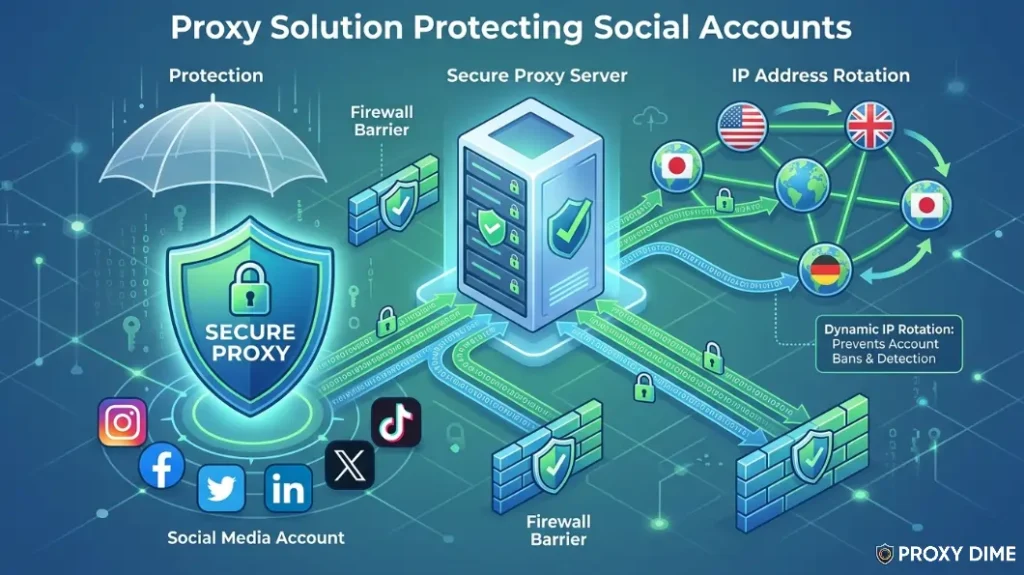
Mobile 4G and 5G proxies offer the highest trust on Instagram, TikTok, and Facebook because these platforms expect users on cellular data. Residential proxies rank as the second safest option. ISP proxies work well for persistent logins where the same static address stays attached to one profile. Avoid datacenter proxies for any platform that monitors login reputation. Use mobile for your most valuable accounts and residential for the rest.
2. Match IP Location to Account Geography
Social platforms track where your accounts log in from. An Instagram profile set to Los Angeles should not suddenly appear from a London IP address. Choose providers with city level targeting and assign geographically appropriate exits to each managed account. Consistency matters more than variety here. Pick an IP location and stick with it.
3. Understand Session Length and Rotation
Social media accounts need sticky sessions, not rapid rotation. Logging into the same TikTok profile from a different IP every five minutes triggers automated reviews. Set sticky sessions to last at least 30 minutes, ideally several hours. Reserve rotating IPs only for scraping public social data, never for managing live accounts.
4. Respect Platform Action Limits
The best proxy in the world cannot save an account that sends 500 follows per hour. Proxies protect your IP identity. They do not override platform rate limits. Keep actions within safe thresholds. Randomise delays between follows, likes, and comments. A good proxy makes your traffic look human. But your behaviour still needs to match.
5. Calculate Bandwidth Against Account Volume
Mobile proxy traffic is the most expensive. Budget approximately 200MB to 500MB per account per month for typical social automation. Multiply that by your total managed accounts and add a 30% buffer for warm-up activity and retries. Providers like Thordata at $2.20/GB for mobile make larger operations affordable. Premium providers like Bright Data and Oxylabs justify their cost when account safety is the priority.
✨ Common Questions About Social Media Proxies
What are social media proxies exactly?
Social media proxies are intermediary servers that route your Instagram, TikTok, Facebook, or LinkedIn traffic through trusted IP addresses. They hide your real IP and make each managed account appear to log in from a unique, legitimate location. This prevents platforms from linking multiple accounts to one person or detecting automation tools.
Why do social media platforms ban proxy users?
Platforms ban users whose IPs match known datacenter ranges, flagged subnets, or addresses shared by too many accounts. They cross reference login IPs against carrier databases and flag inconsistent geographic patterns. The ban targets suspicious IP behaviour, not proxy usage itself. Clean residential and mobile IPs avoid these triggers.
Are mobile proxies better than residential for social media?
Mobile 4G and 5G proxies carry the highest trust scores for social media. Carriers use NAT, meaning hundreds of real users naturally share each mobile IP. Platforms cannot aggressively block these addresses without affecting legitimate users. Residential proxies rank second. Both outperform datacenter proxies significantly.
How much do social media proxies cost per month?
Costs range widely based on proxy type and volume. Free options exist through Webshare. Budget residential traffic starts at $0.65/GB with Thordata. Mobile proxies range from $2.20/GB (Thordata) to $8.40/GB (Bright Data). Dedicated mobile IPs cost $40 to $68 per week. Most solo managers spend $20 to $50 monthly. Agency operations can reach $500 or more.
Can I use one proxy for multiple social accounts?
Using one IP for multiple accounts on the same platform is risky. Platforms flag accounts that share login IPs. Assign one dedicated or sticky IP per account per platform. A single proxy provider can supply enough unique IPs, but you must configure separate sessions for each profile to avoid cross contamination.
Is it legal to use proxies on social media?
Using proxies is legal. Managing multiple accounts may violate specific platform terms of service, but this is a contractual matter rather than a criminal one. Proxies themselves are standard networking tools used by millions of businesses for legitimate purposes including brand management, market research, and content verification across regions.
Will free proxies work for managing social accounts?
Free public proxy lists will get your accounts banned quickly. They use shared, flagged IPs that platforms recognise immediately. Webshare's free tier with 10 private proxies is the one exception worth considering for testing. For any real social media management work, paid residential or mobile proxies are the minimum standard.

More Guides On Proxy Dime
🎯 Final Thoughts
The right social media proxy depends on what you are protecting and how many accounts you manage. Decodo delivers the best mobile IP diversity for agencies running profiles across multiple platforms.
Bright Data owns the mobile proxy space outright with 7 million carrier IPs when account safety is non negotiable. For budget conscious teams,Thordata brings mobile access at $2.20/GB, which changes the economics entirely.
Start with a free trial or test plan on your most important accounts first. Every setup is different, and the only metric that matters is whether your accounts stay alive.